One app for flight instructors and student pilots. Log and sign the lesson before you leave the aircraft, record the flight with GPS, and see where every student stands. Works fully offline and syncs when you're back online.


Free to download, no in-app purchases. Free for organisations with up to 2 instructors.
 iPhone & iPad
 Android
Scan with your phone's camera.
What you can do in the app
Log lessons in seconds, offline
Times, landings, block times, exercises, feedback and photos. Everything is stored on the phone and uploaded when you have signal again.
Record the flight with GPS
Press Start before taxiing. Take-off, landing, flight time and landings are detected from the track and filled in for you, and the route is shown on a map.
Sign the flight record
Where your organisation requires it, sign with your saved signature or draw one on screen. The signature is stored with the flight and printed on the training record.
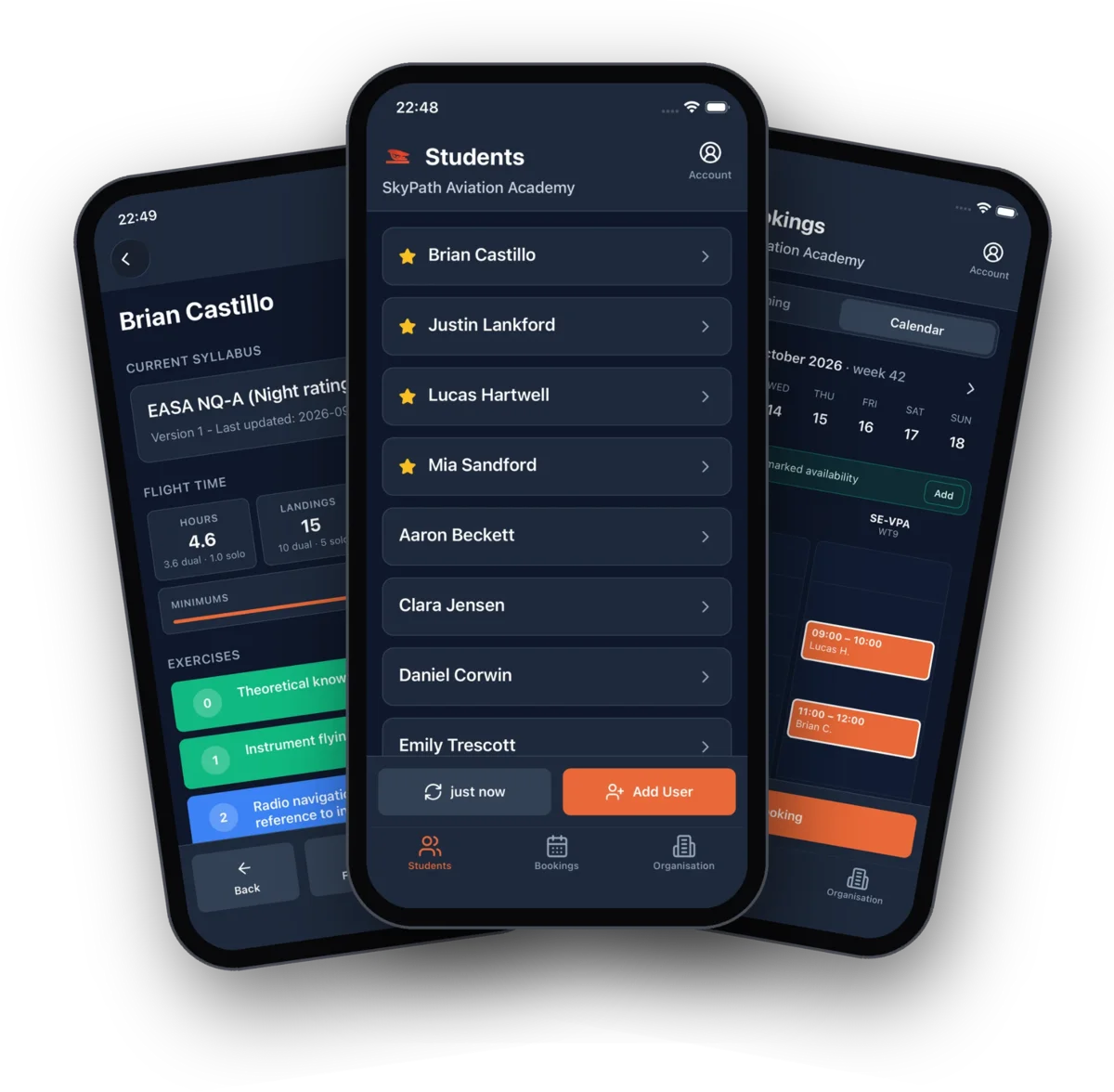
Every student on one screen
Current syllabus, next lesson, hours split into dual and solo, landings, licence minimums and every exercise colour-coded.
Bookings in your pocket
See the shared calendar, mark your availability, and log the lesson straight from the booking with date, aircraft and student prefilled.
Licences and documents
Licences, medicals, endorsements and theory tests with expiry dates, and a reminder before anything runs out.
Push notifications
New and changed bookings, logged lessons and expiring documents, each switchable per user.
Students use the same app
Students follow their own progress, read the instructor's feedback and the plan for the next lesson, and keep their documents at hand.
A look inside
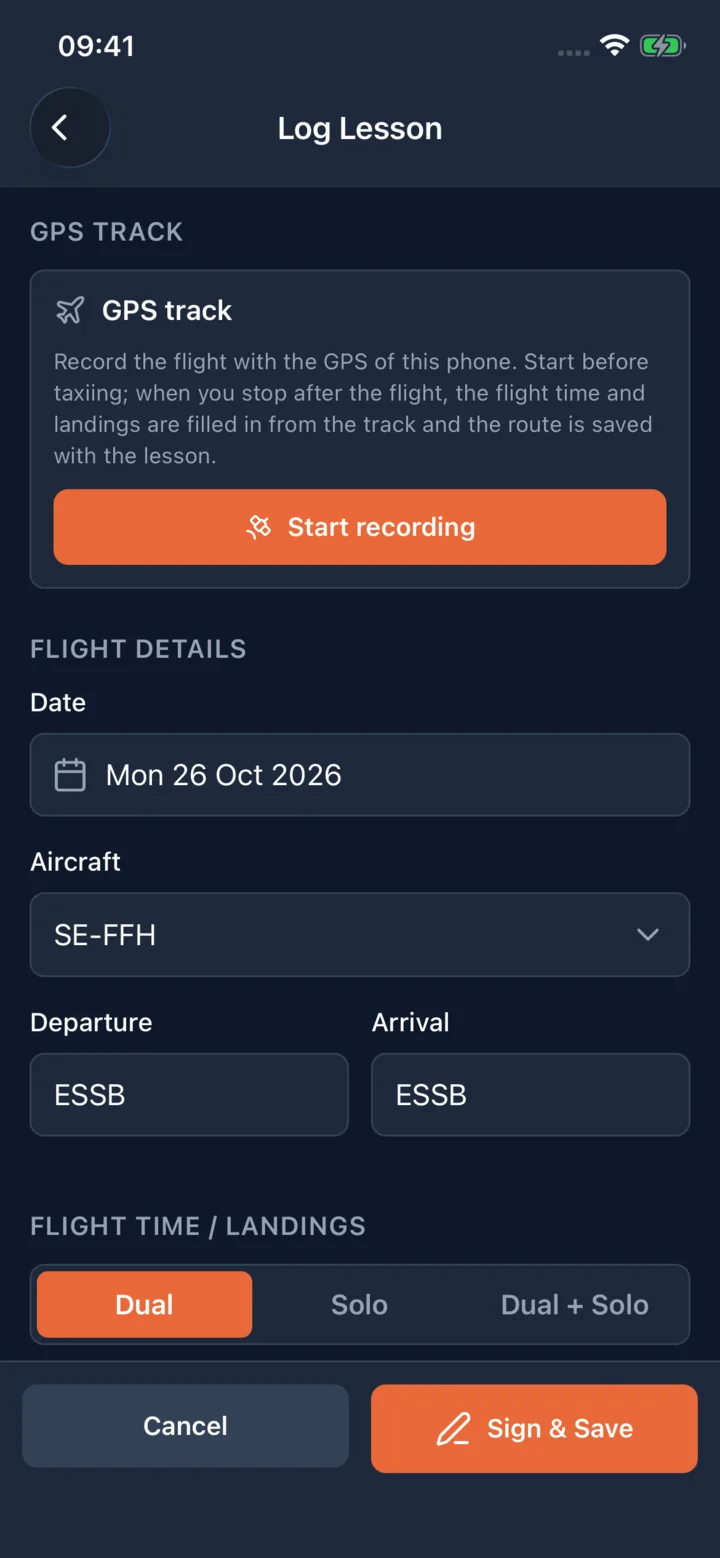
Log the lesson, record the flight, sign it
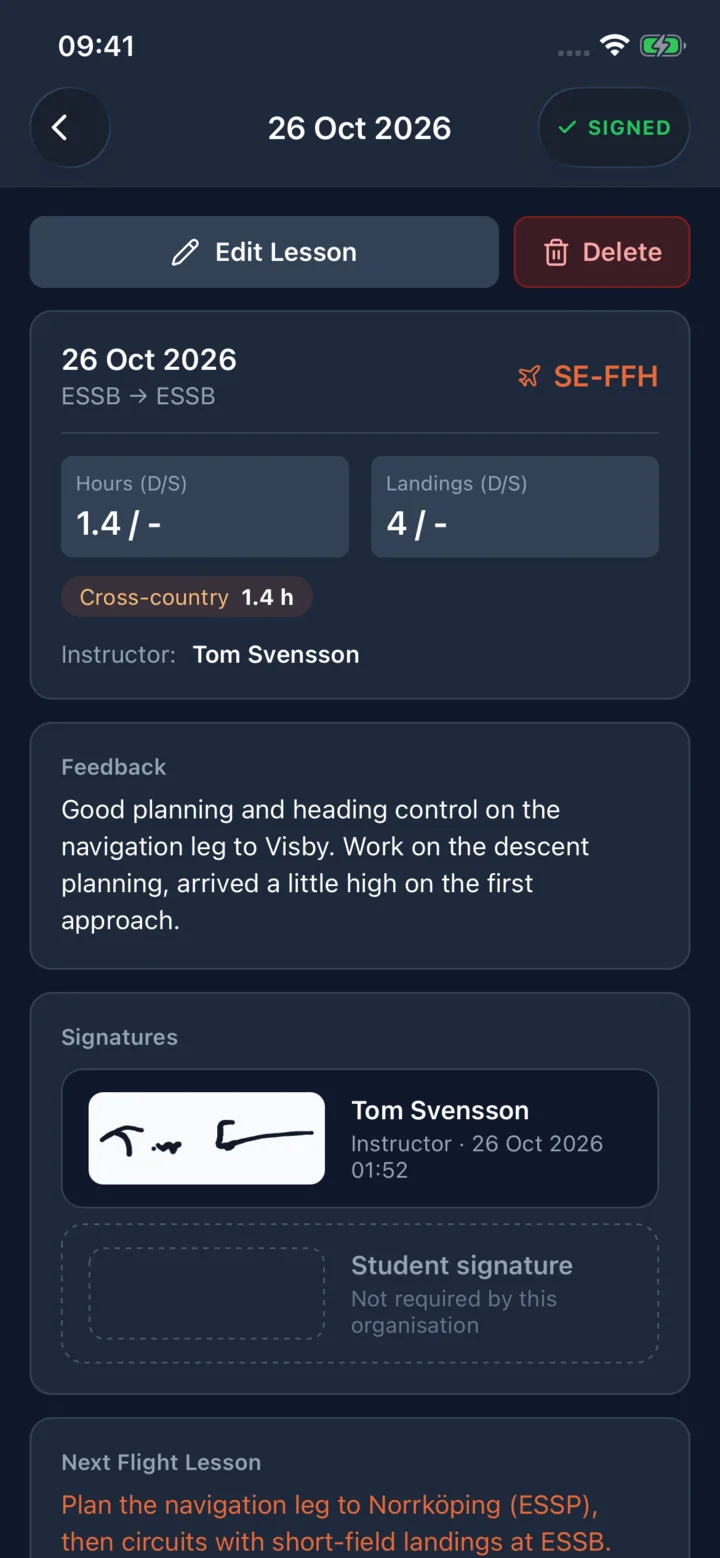
A signed flight record with feedback
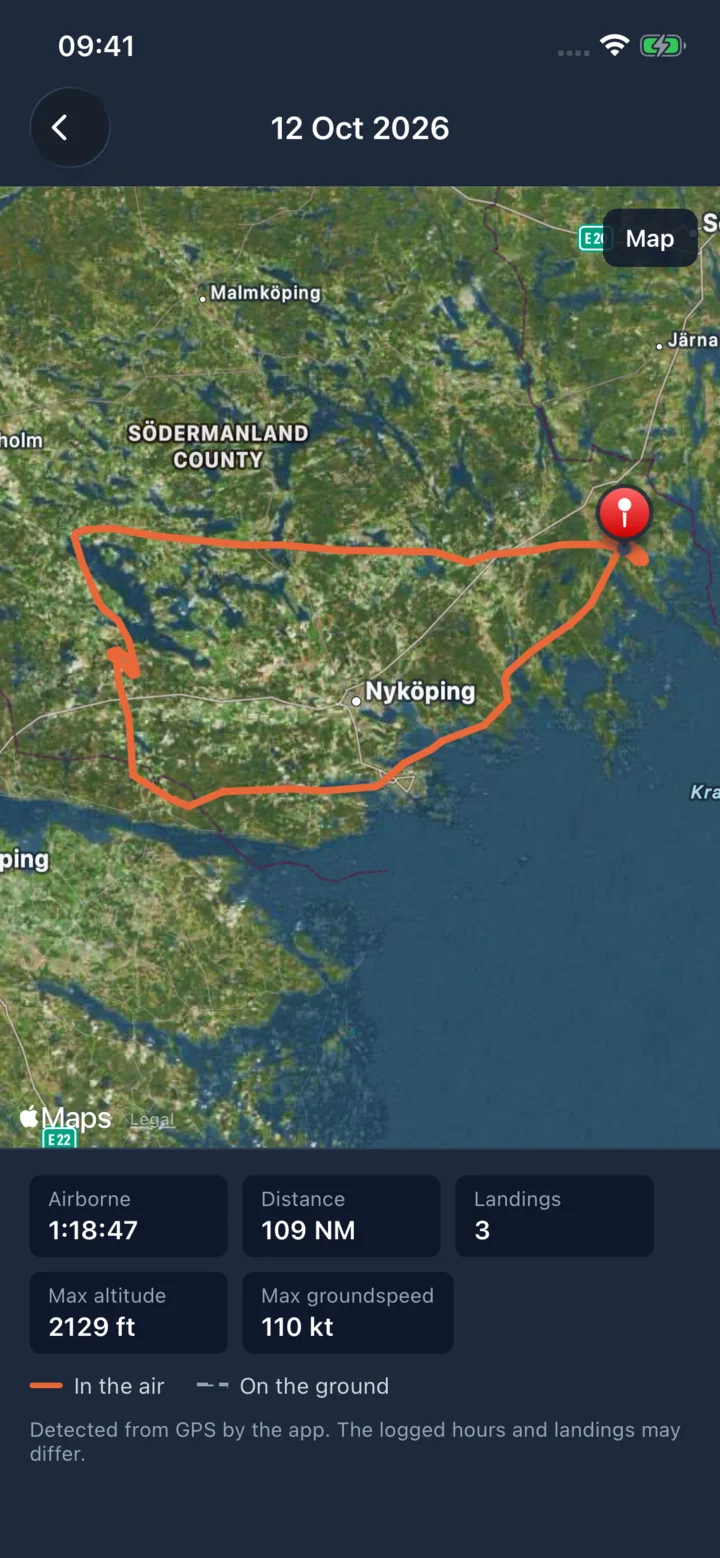
The GPS track on the map
Getting started
- Install the app from the App Store or Google Play using the badges above.
- Sign in with the account your flight school or club created for you. You received the login in a welcome email. Setting up a new organisation? Start at my.betterflare.aero; it takes a minute and no credit card.
- Tap a student and log a lesson. The app downloads your students and syllabuses the first time you sign in, so it works at the airfield afterwards even without coverage.
App or web?
Both, with the same data. The app is built for the apron: logging, recording, signing and bookings. The web app at my.betterflare.aero is where admins edit syllabuses, run reports, generate the PDF training record, handle safety reports and manage the organisation. See the documentation for the full feature list or the help center for common questions.
Download the BetterFlare app
Requires iOS 15.1 or later. Android requirements are listed on Google Play.
